
Last week I showed you how branding through a website can really boost your professional image. Today, I’m here to help you organize that image!
1. Create a Killer Home Page
The home page is like the window of the soul to your website. It should have links to other pages of your website plus your mission statement. You can also choose to incorporate contact forms and access to your social media as well. Just imagine your home page as like the “Start” to a board game. It provides a place to begin and brings content to the surroundings.
Here is a video that I found helpful in making a great homepage!
2. Add Different Pages
Having different pages can make your content easier to navigate. Say you have a bunch of books in a bookshelf but you’re looking for just one? How frustrating would that be without sections of books to go to or if they weren’t alphabetized? That’s what having pages will do for you! You will be able to section off your ideas, passions, skills, or anything you’d like! This makes it really useful for those who come to your website looking for something specific.
3. Chunk Information
That’s right, chunk. Chunking, or grouping, on your website will help keep everything separate. Say you visit the homepage to a photographer’s website; yet you notice all the photos are in the same spot. Wouldn’t it be helpful for that photographer to chunk all of the same types of photos together? That way you could see how their wedding photos are different from their landscape photos and so on. You can do this too on your website!
4. Have a Menu
Menus are everywhere. They help direct the reader’s eye to what they want. You go to a restaurant and the first thing you get is the menu. You can use a menu on your website to present your viewers with everything you have to offer. Unlike pages, the menu doesn’t hold content, it just curates the chunks you’ve made.
5. Utilize Landing Pages
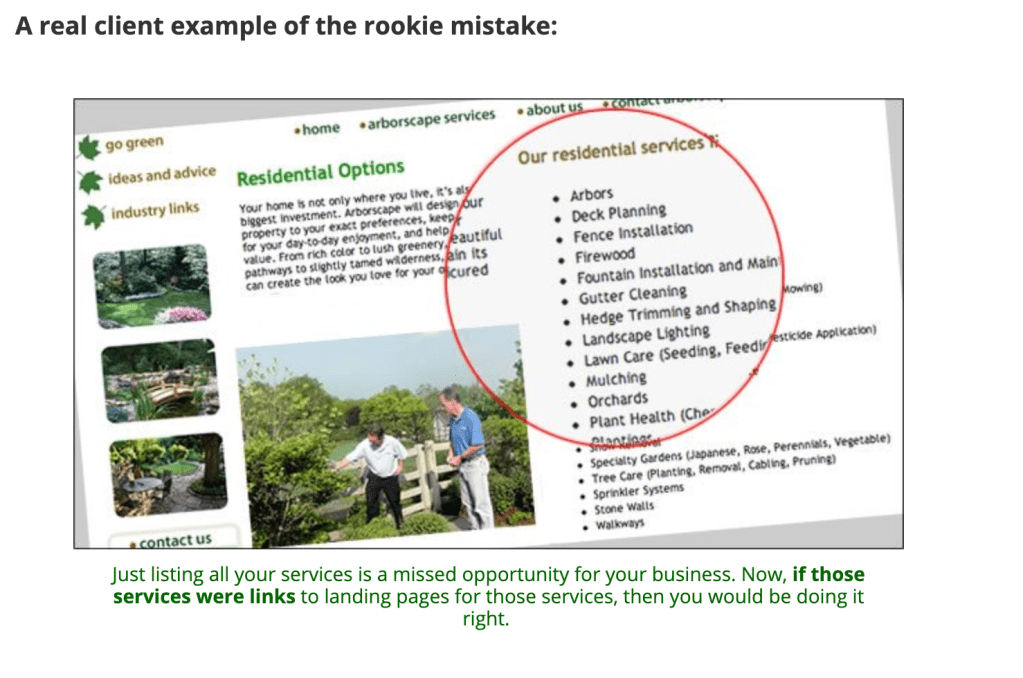
Well what is a landing page? Landing pages are places viewers first land on they arrive to your site. This landing site may not always be the home page. That is why it is important to make sure every page on your website has a clear purpose and a way to get back to the home page. Below, I’ve attached an example I’ve found from this website.
Here is an example of someone listing their multiple services but not creating it with a landing page in mind. They clearly chunked information and put it on a page, but they did not consider the landing page aspect.
Here is the result after they made a landing page. So much neater!
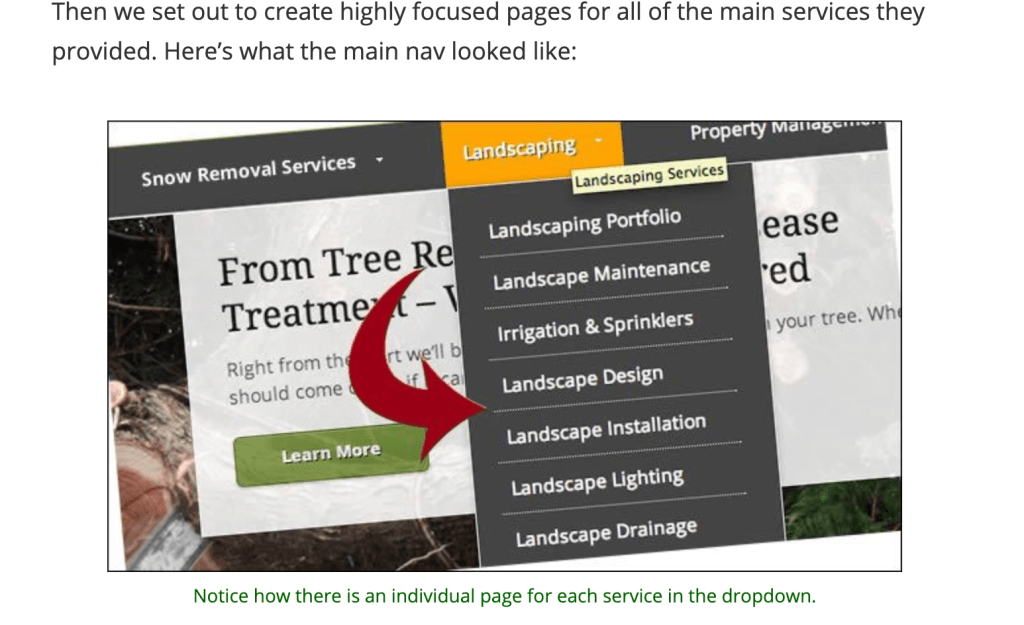
I hope this helped you get a good idea of how to begin to organize your website. Good luck!
Today, I am grateful for my dog and all the lessons in patience he teaches me.
 Bloggle
Leave a comment